Advanced Filters
Filter by playtime, genre, achievements, status, size, friends, tags and much more with AND/OR logic.
A fresh version of Deck Shelves just dropped — update now.
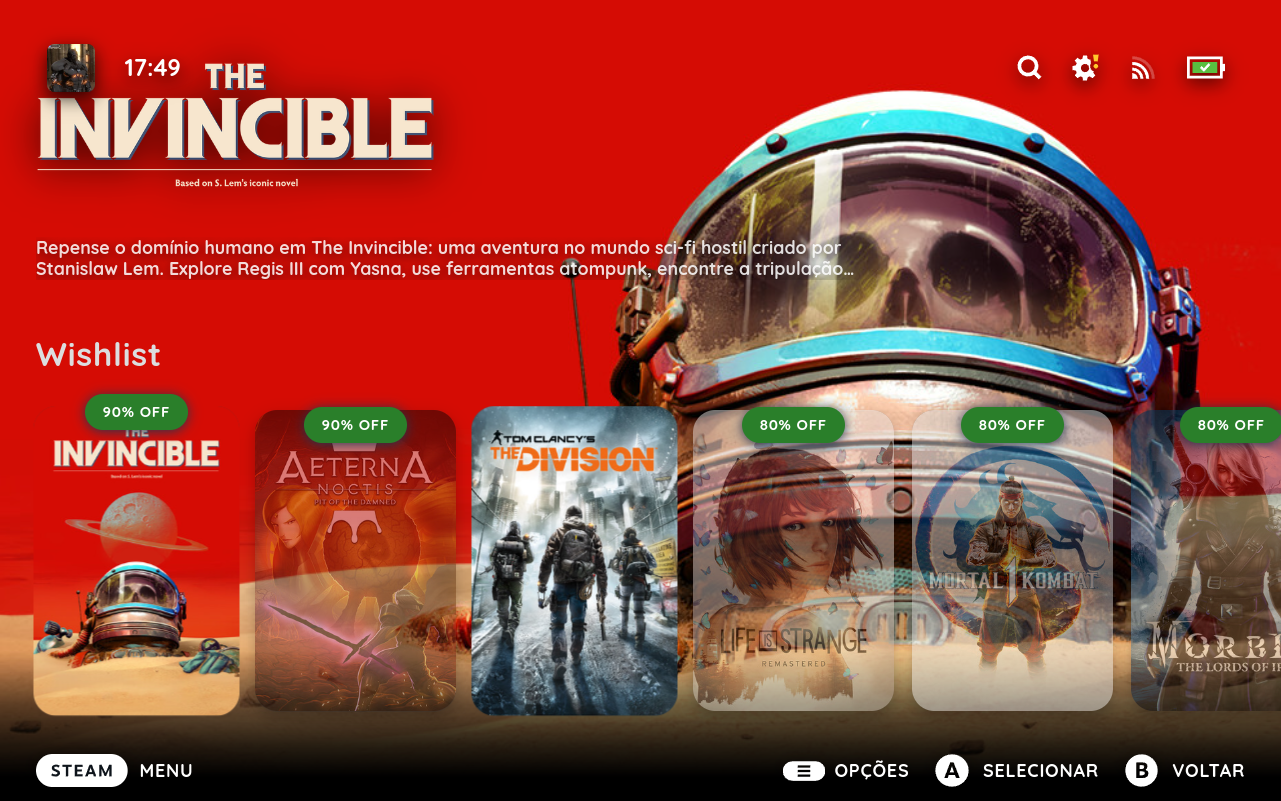
Deck Shelves lets you build custom shelves from your collections, library tabs, or filters. Add decoration cards, smart shelves, and wishlist/store rows — all from a built-in editor in Quick Access. No desktop mode, no config files.
Get help, share setups and follow what's next.
Seamless integration via Quick Access.
Everything works directly on your Deck.
Configure every shelf from Quick Access.
Works on SteamOS, Linux and Windows.
Filter by playtime, genre, achievements, status, size, friends, tags and much more with AND/OR logic.
Combine collections, tabs, wishlist and store into a single shelf via Union or Intersection.
Remap or disable the gamepad buttons for hide, highlight, quick-launch, Quick Search and Side Navigation.
Pin text, banners, URL shortcuts or gaps — with your own chosen art that can act as the shelf hero.
30+ heuristic shelves like Deck Picks or Never Played that appear automatically when relevant.
Save, switch, export and import your setups. Includes a Default profile to reset anytime.
Scroll through the gallery — click any screenshot to view it full-size.
See how you use your shelves with real charts and get smart suggestions to improve your setup.
Personalize each shelf with logos, descriptions and layouts that fit your style.
Quick Search helps you find any game instantly and Side Navigation keeps you one swipe away.
Other plugins can register custom shelf sources, filters, sorts, smart shelves and statistics through the public @deck-shelves/api (v4).
A backend bug threw away the saved "tour seen" flag whenever you hadn't enabled the plugin or added a shelf yet — exactly the state right after seeing the tour for the first time.
It now works reliably, and asks what kind of report you're filing — bug, enhancement or feature request — before opening the matching GitHub form pre-filled with your details.
, with the community links below it.
Deck Shelves runs on top of Decky Loader. Install it from the Decky Store, or grab the latest release and add it manually.
The easiest way — once installed, Deck Shelves updates on a click of a button whenever a new version is available in the store.
Install the latest build directly from GitHub Releases.
Grab the latest release and start building your perfect home screen.